MCCS User & Phonebook Management Tool
Functional management tool to manage the user and phonebook configurations and allocation for the MCCS system.
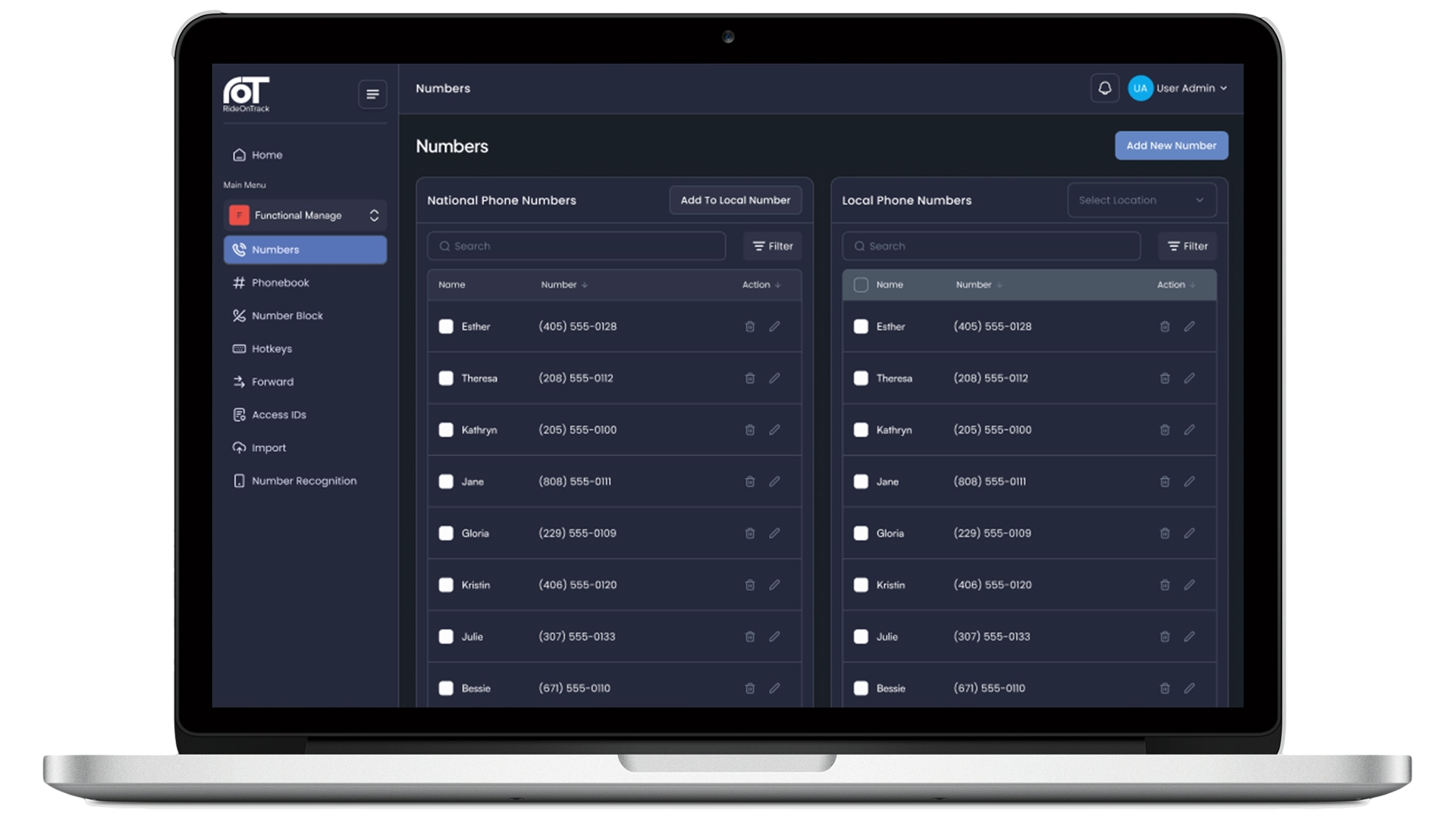
Introducing UPM
RideOnTrack’s user-friendly web-based User & Phonebook Management tool (UPM). This application is highly customisable and provides centralised control over communication profiles, contact directories, and access rights within RideOnTrack’s Mission-Critical Communication System (MCCS). UPM makes sure operations in control rooms are structured, secure, and reliable
Key Features
From phone lists to release management, UPM covers the full configuration lifecycle of your MCCS deployment.
UPM maintains a shared national phone number list alongside control room–specific local lists, enabling standardisation without losing local flexibility. Each number can have a custom name, color, and tag. Numbers must be unique nationally and follow international format.

UPM organises contacts into folder-based phonebooks, either national or control room-specific. Visibility permissions are set per location or per user: national phonebooks can be shared by control-room location, while local phonebooks by individual access ID. Drag-and-drop management and up to three folder levels make structuring large directories practical.

UPM configures dedicated hotlines and incoming lines per control Room using assigned number blocks, allowing users to set source/destination numbers, labels, colors, ringtones, and which users receive each line.

UPM provides a 36-button quick-access panel where users can assign numbers, hotlines, and folder shortcuts. It supports multi-page folder layouts, drag-and-drop arrangement, and folder sharing across users.

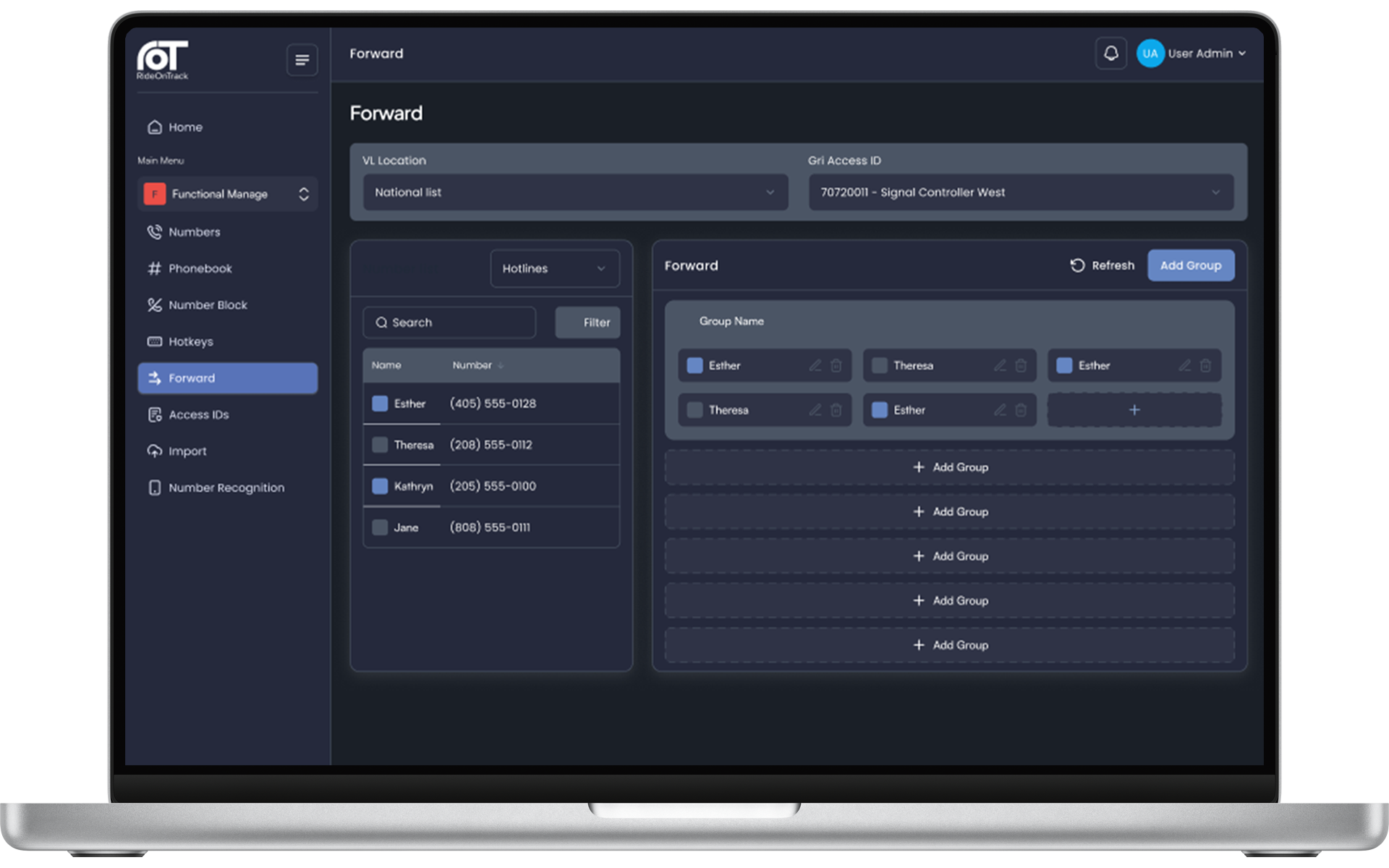
UPM enables forward buttons that reroute hotline and incoming line calls to alternate numbers, and supports grouping so dispatchers can activate multiple forwards with a single press.
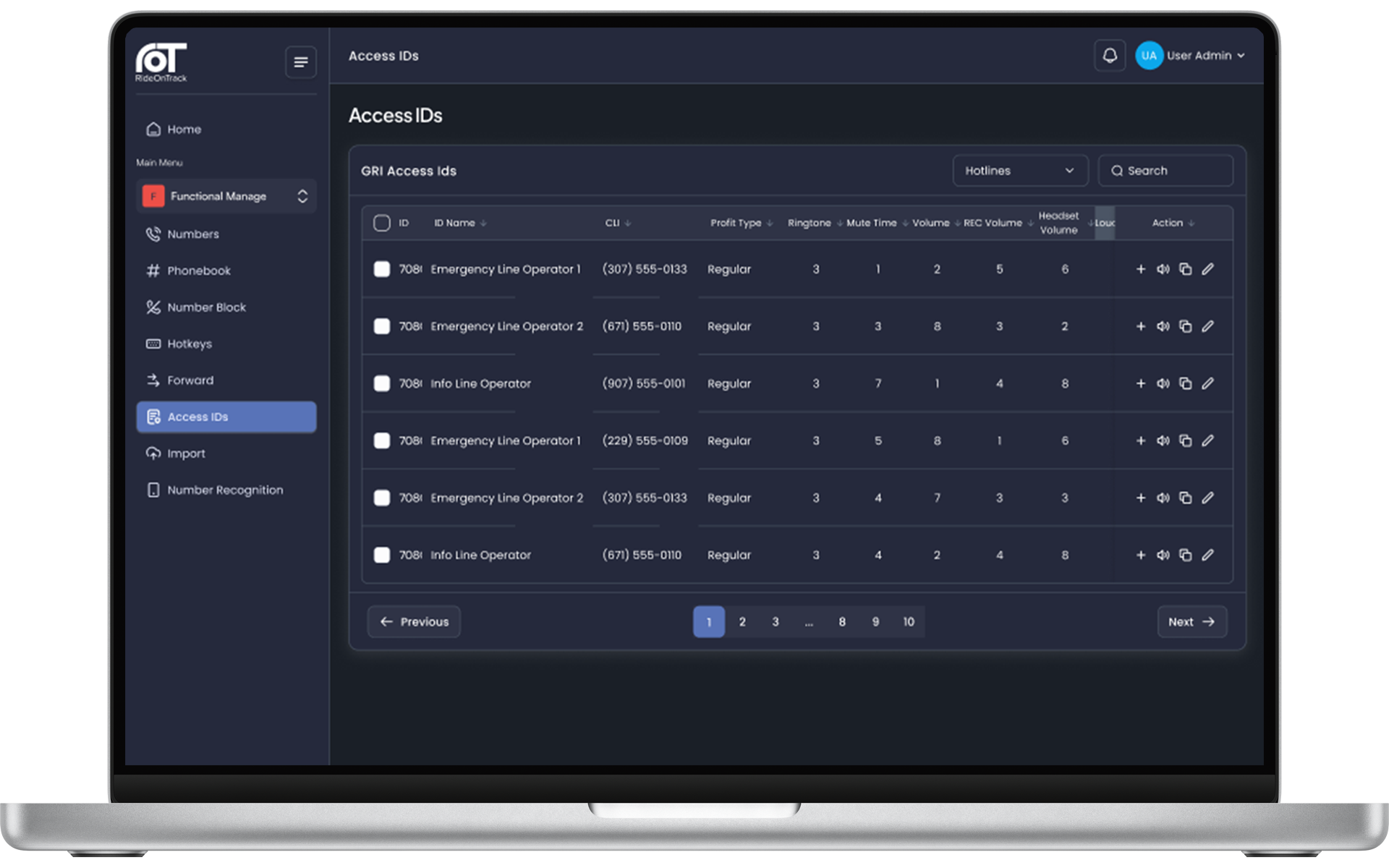
UPM customises per-user console settings such as ringtone, speaker/headset/alarm volumes, mute time, and radio line, and offers a “Copy Configuration” option to clone setups between users.
UPM stages configuration changes through a Release step (which locks edits during review), then deploys them via Import, either immediately or on a schedule, without disrupting active MCCS-client users.

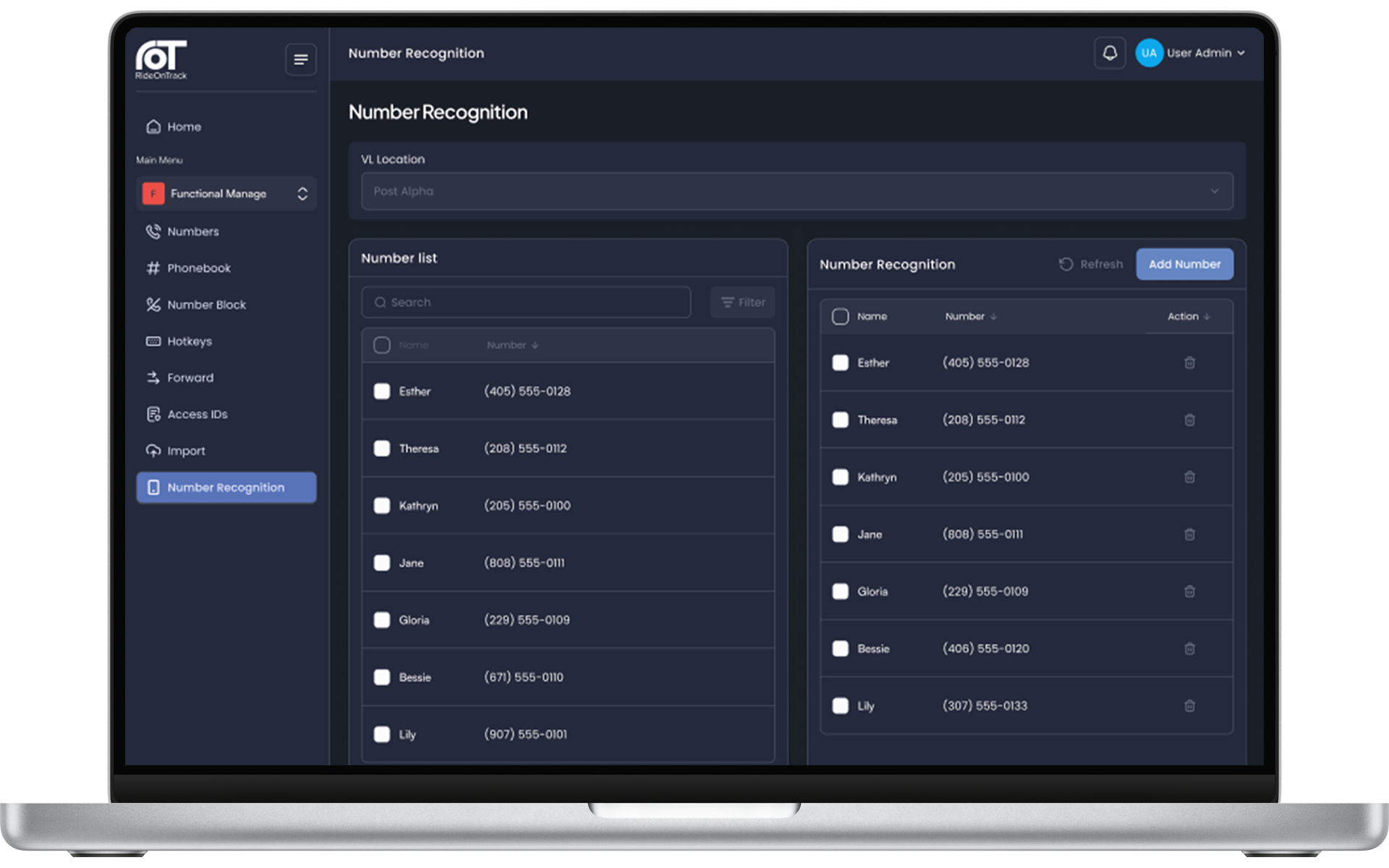
UPM registers phone numbers that should be labeled (display-only, not dialable) during incoming calls, managed via the same drag-and-drop interface as phonebooks.
Benefits

Centralised Control, Local Flexibility
Manage communication profiles from a single web-based interface while supporting both national and control room-specific configurations. This hybrid approach ensures standardisation at the organisational level without limiting site-level customisation.

Zero-Disruption Deployment
The release and import mechanism allows configuration changes to be staged, reviewed, and scheduled before going live. During import, logged-in users experience no interruption, and number-related changes take effect immediately while access ID settings apply after the next login.

Fast Onboarding & Consistency
Copy a full configuration (phonebooks, hotkeys, lines, forwarding) from one access ID to another in a single action. This eliminates repetitive manual setup when onboarding new operators or replicating standardised profiles.

Intuitive Drag-and-Drop Interface
Phonebooks, hotkeys, forwarding buttons, and number recognition entries are all configured through a visual drag-and-drop interface. This reduces training time and minimises the chance of input errors compared to form-heavy or command-line tools.

The right access for the right people
UPM enforces role-based access control (RBAC) to ensure each user only sees and edits what’s relevant to their responsibilities. Roles are configurable per customer and are tailored to the customer’s operational structure.
Security & Compliance

Made In Europe
Engineered, developed, and maintained entirely within Europe, ensuring adherence to the highest data protection and privacy standards.

ISO27001:2022 Certified
Demonstrates our commitment to international best practices for information security management systems.

EU NIS2 Directive Compliant
Fully aligns with the EU’s Network and Information Systems 2 Directive, enhancing cybersecurity resilience for essential entities.

GDPR-aligned Data Protection
Our practices are built around the principles of the General Data Protection Regulation, safeguarding all sensitive data.
News

RideOnTrack’s Mission to Greece
RideOnTrack is attending one of the world’s largest maritime trade fair in Athens, Greece.
Read more
Reflection on Strategy and Teamwork
RideOnTrack’s annual team event brought the whole team together for learning, innovation, strategy and a few adventures on the open water.
Read more
Successful participation at the 10th ETSI MCX Plugtests
RideOnTrack’s MCX technology stack successfully completed interoperability tests at the 10th ETSI MCX Plugtests.
Read more RideOnTrack’s Mission to Greece
RideOnTrack is attending one of the world’s largest maritime trade fair in Athens, Greece.
Read more Reflection on Strategy and Teamwork
RideOnTrack’s annual team event brought the whole team together for learning, innovation, strategy and a few adventures on the open water.
Read more Successful participation at the 10th ETSI MCX Plugtests
RideOnTrack’s MCX technology stack successfully completed interoperability tests at the 10th ETSI MCX Plugtests.
Read more